- You need
- A Ghost 5 or newer site on HTTPS. Self-hosted or Ghost(Pro).
- You connect with
- An Admin API key from your own site. How to create one
- No blog yet?
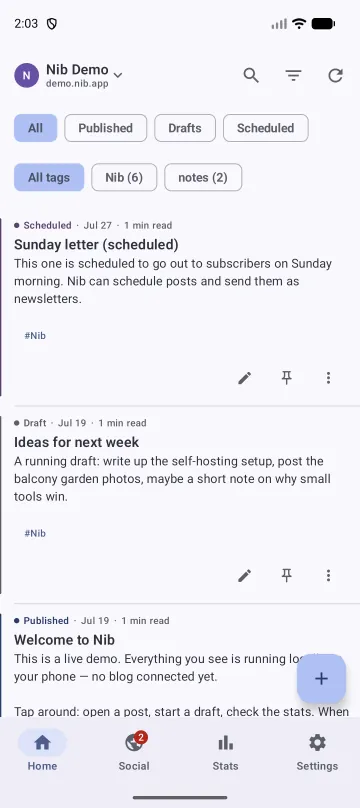
- Demo mode opens the app with sample posts and no connection.
- Runs on
- Android 8.0 or newer.
What you can do with it
Nib covers the jobs you would do from a phone: write, publish, check on the site. Theme editing, code injection and site settings stay in Ghost Admin on a computer.
Write
- Simple or advanced editor, chosen per blog. Advanced adds headings, quotes, lists, code and dividers.
- Optional title. Leave it empty and Ghost gets a short note.
- Media: images with alt text and captions, video, audio, files, link previews.
- Share into Nib from any app: a link, selected text, one photo or several.
- Writing help on the phone with Gemini Nano, on phones that support it: proofread, shorten, change tone, suggest a title.
Publish
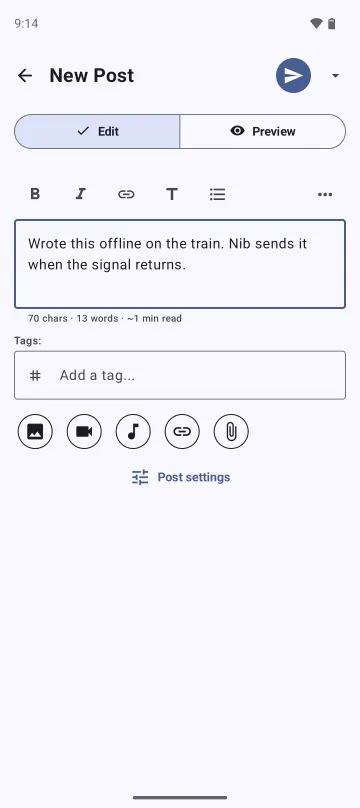
- Offline queue. Press Publish with no signal and the post goes when the signal returns.
- Post settings: excerpt, slug, tags from hashtags, canonical URL, visibility, feature image.
- Schedule a post for a date and time.
- Send as a newsletter to all, free or paid members.
- Newsletter tools: preview, test email, and fixing a link after the email went out.
- Gift links that let a non-member read one members-only post.
Run the site
- Timeline of published, draft and scheduled posts, with search and filters.
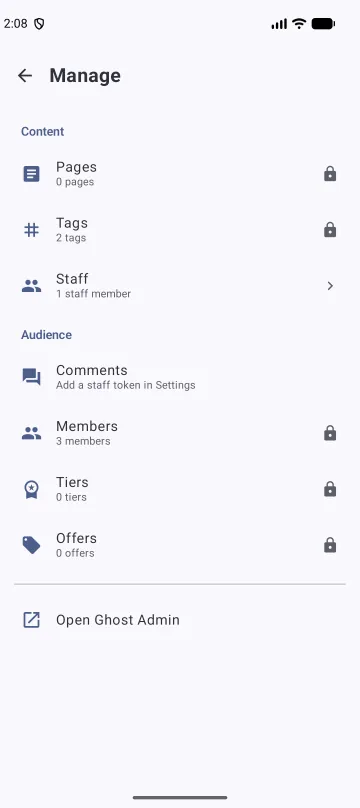
- Manage pages, tags, members, tiers, offers, newsletters and recommendations.
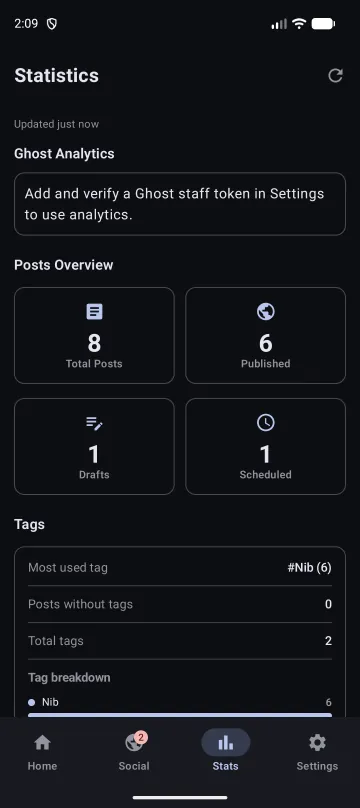
- Statistics: posts, words, reading time, tags.
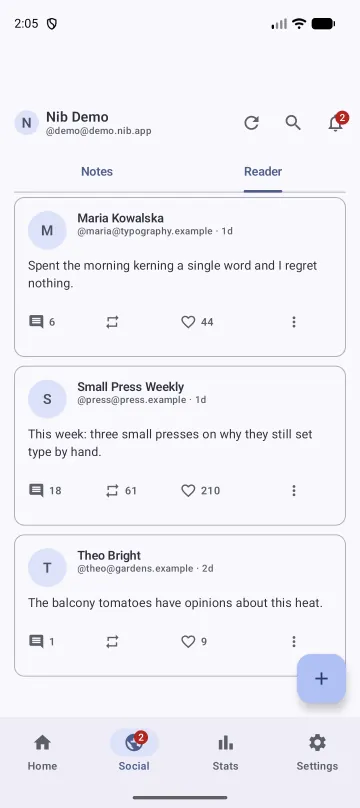
- With a staff access token: Ghost 6 traffic analytics, comment moderation, and Social Web (beta) for notes, replies and follows on the fediverse.
On your phone
- Home-screen widgets and a launcher shortcut per blog.
- Up to five blogs with Nib Pro, each with its own key, drafts and queue.
- Light, dark and Material You colour, plus a choice of launcher icons.
What happens when you publish with no signal
-
Nib saves the post on your phone
It goes into a local database before any upload starts. Closing the app or restarting the phone does not lose it.
-
A background job keeps trying
You can close Nib. Android runs the upload when there is a network. If you allow notifications, Nib tells you how it went.
-
Your site gets it once
If Ghost accepted the post but the reply got lost, Nib checks your site before trying again. A retry does not publish the post twice or send the newsletter twice.
Free and Pro
Writing and publishing are free and stay free. Pro adds the workflows around publishing, and pays for keeping a one-person app current with Ghost and Android.
| Feature | Free | Pro |
|---|---|---|
| Write, edit, publish, delete, drafts, offline queue | Yes | Yes |
| Images, media, link previews, hashtags as tags | Yes | Yes |
| Timeline, statistics, widgets, sharing into Nib | Yes | Yes |
| Writing and alt-text help | Yes | Yes |
| Connected Ghost blogs | 1 | Up to 5 |
| Scheduled publishing | No | Yes |
| Sending posts as newsletters | No | Yes |
| Members, tiers and offers | No | Yes |
| Pages and tag management | No | Yes |
| Author assignment, Ghost revisions, post templates | No | Yes |
| Preset accent colours and a per-blog emoji | No | Yes |
Pay monthly, yearly, or once for lifetime access. Google Play shows the price in your currency. The subscriptions start with a 7-day free trial when your Google account qualifies for it. If you installed Nib before Pro existed, you keep what you had.
What leaves your phone
Nib has no account and no server of its own. These are the places your data can go, and when.
| What | Where it goes | When |
|---|---|---|
| Posts, images, tags, member edits | Your Ghost site | When you publish, save or edit |
| Your Admin API key | Stays on the phone, encrypted with Android Keystore. Your site receives short-lived signed tokens. | Each request |
| Crash reports and app-open events | Google Firebase Crashlytics, with no post content, site address or key | On by default. Turn off in Settings, Send crash reports. |
| A link you want previewed | The linked site, requested from your phone | Only when you ask for the preview |
| Draft text or an image for AI help | Stays on the phone with Gemini Nano. Google Gemini, with your own API key, if you pick the cloud option. | Only when you press a writing or description button |
| Social Web notes, replies and likes | Your Ghost site, which passes them on to other fediverse servers | When you post them. They are public. |
| Purchase details | Google Play | When you buy Pro |
No ads, no advertising ID, no Firebase Analytics. The privacy policy covers the rest, including member avatars, Ghost 6 analytics and comment checks.
Questions
Does Ghost have an official mobile app?
No. Ghost has no official Android or iOS app, so writing from a phone otherwise means the admin panel in a mobile browser. Nib is an independent Android app that talks to your site through Ghost's official Admin API.
Does Nib work with self-hosted Ghost?
Yes. Self-hosted Ghost and Ghost(Pro) both work, on Ghost 5 or newer over HTTPS. You connect with an Admin API key that you create under Settings, Integrations on your own site. Compatibility details.
Is there a Nib account or a Nib server?
No. Your Admin API key is stored encrypted on the phone, and posts go from the phone to your Ghost site. Crash reports go to Google Firebase Crashlytics unless you switch them off in Settings.
Can I write without a connection?
Yes. Nib saves every post on the phone before it tries to upload, then keeps trying in the background until your site accepts it.
Can I try Nib without a Ghost blog?
Yes. Choose Explore demo on the setup screen. It opens the app with sample posts, tags, members and statistics, and makes no network calls to any Ghost site.
Can I connect more than one blog?
One blog is free. Nib Pro allows up to five. Each blog has its own key, drafts and offline queue, so a post cannot go to the wrong site.
What is the staff access token for?
Ghost 6 traffic analytics, comment moderation and Social Web need a staff access token, which you copy from your own profile in Ghost Admin. It is a different key from the Admin API key. Everything else works without it.
Guides
- Create your Admin API keyFive steps in Ghost Admin, and fixes for a refused connection.
- Which Ghost setups workVersions, hosting, and what blocks the Admin API.
- Is there a Ghost app for Android?What happened to the official app, and the options now.
- Publish to Ghost from a phoneShare sheet, widgets and the offline queue.
- Schedule Ghost posts from AndroidHow scheduling works and which time zone counts.
- Send a Ghost newsletter from AndroidNewsletter, audience, test email, delivery numbers.